
For every speaker, the brightonSEO content team previously had to create a People record, create a separate Talk record, add the relevant content, and connect the two inside the CMS.
Across a multi-speaker event, that meant repeating the same process again and again.
We built a new workflow inside Sanity CMS to reduce that manual work. Editors can now prepare speaker and talk content in a spreadsheet, import multiple records together, review anything that needs attention, and publish approved content through one controlled process.
The CSV upload is only the starting point. The more important part is what happens between importing the data and putting it live.
The workflow at a glance
Before, speaker and talk records were created and linked individually inside the CMS.
Now, multiple records can move through one workflow:
Spreadsheet → Import → Validation → Correction → Review → Event Selection → Bulk Publish → Verification
This keeps the speed of bulk import while giving editors control over what actually reaches the website.
Bringing speaker and talk content into Sanity
The workflow starts with a spreadsheet.
Each row contains the information for a speaker and their talk. The editor exports the file as CSV and uploads it through a custom tool built directly into Sanity Studio.
Once uploaded, each row becomes an imported data record. Editors can see the full imported set in the Imported Data dashboard before deciding what is ready to move forward.
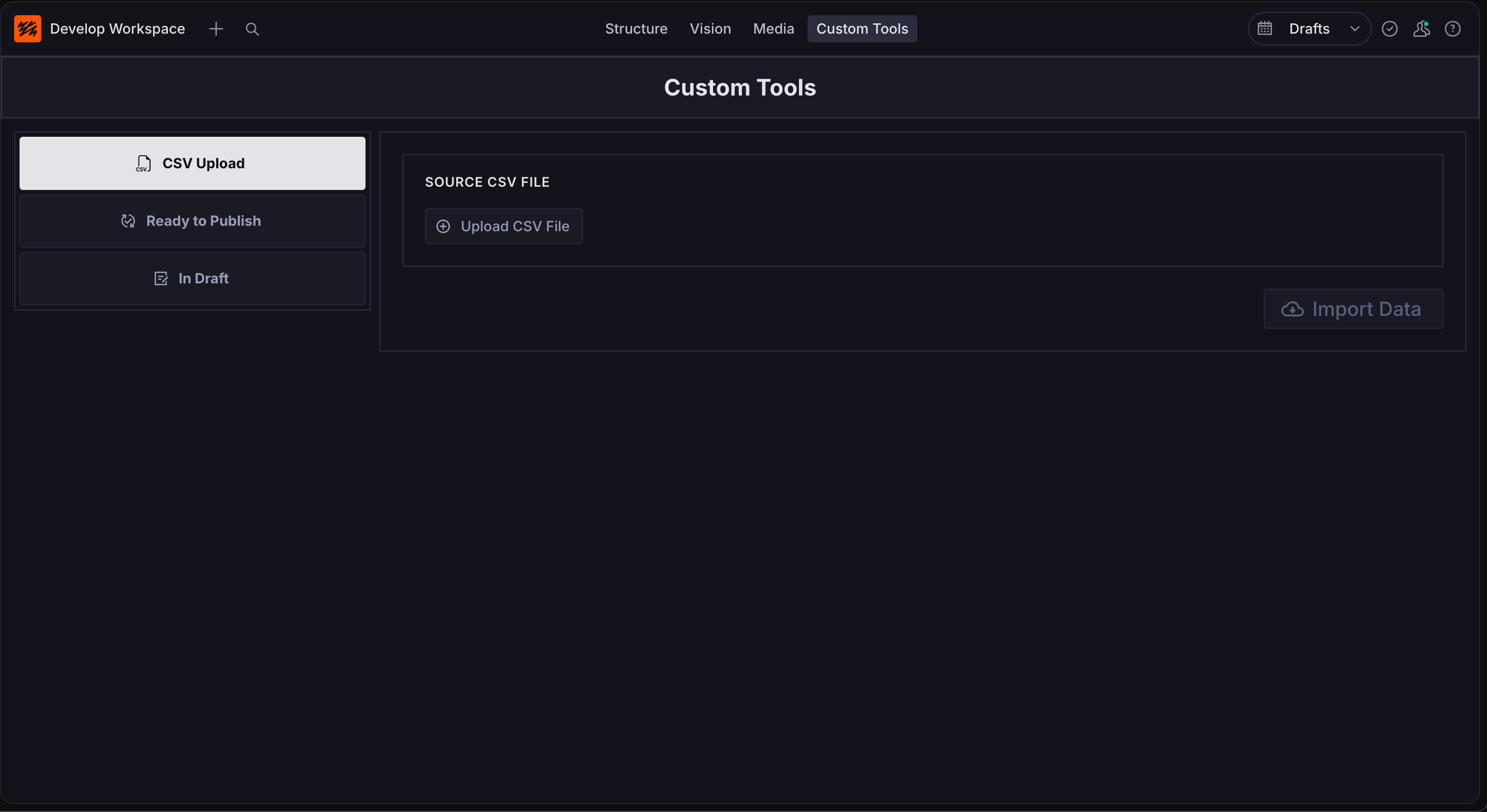
Bulk importing content is useful. Bulk publishing incorrect content isn’t.
That’s why validation and review are built into the process.
Human review stays in the loop
Imported records are automatically separated based on whether they’re ready to publish.
Records with missing or invalid required information appear under In Draft. Valid records appear under “Ready to Publish”. Editors can open incomplete items, make corrections and review them again before publishing.
A record can’t move through publishing without the speaker’s name and biography, the talk title and description, and a published parent event being selected.
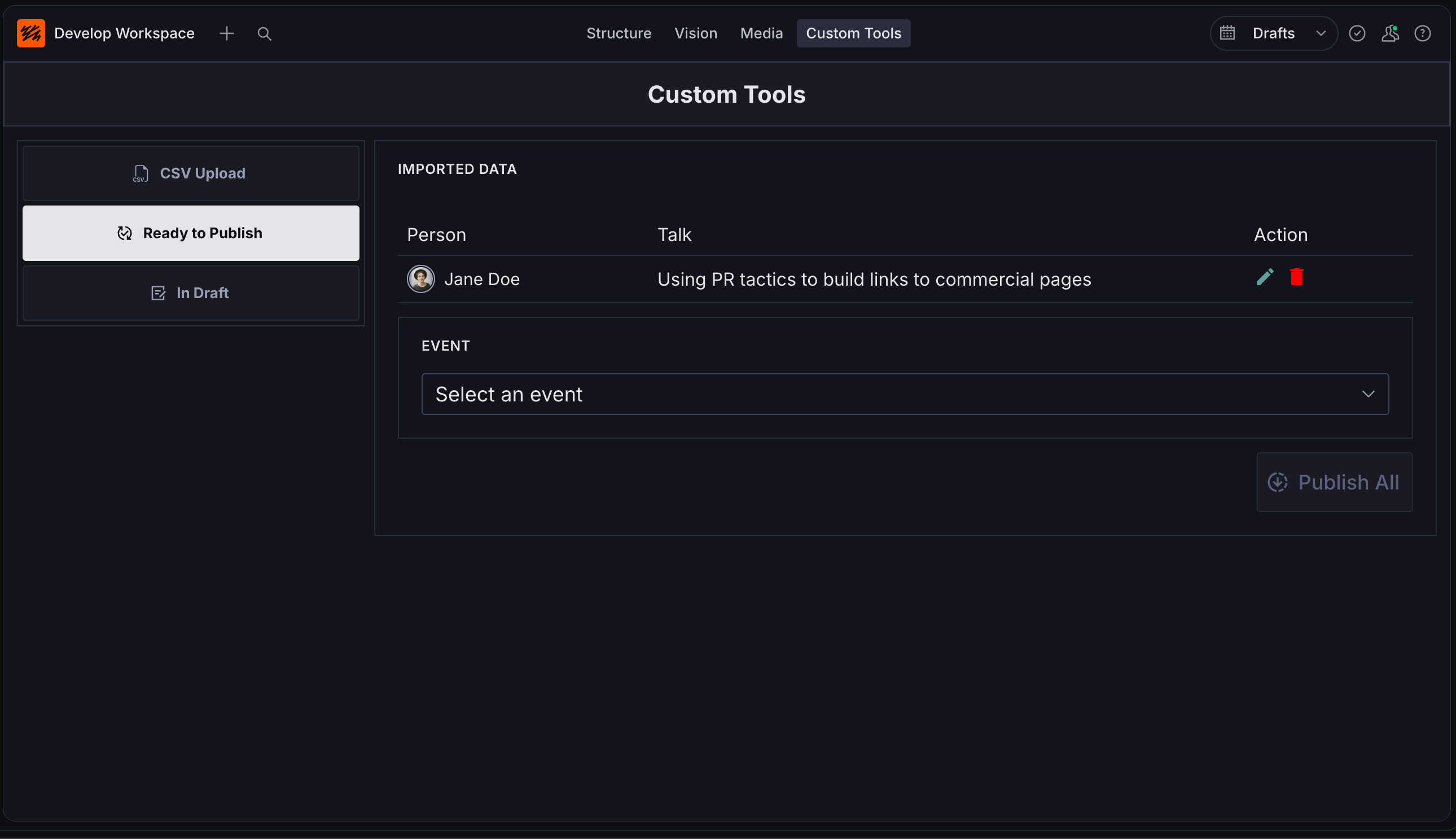
The bulk workflow removes repetitive entry without removing the human checks that protect content quality.
Keeping speakers and talks correctly connected
Importing the data was only part of the challenge.
A speaker and their talk exist as separate records inside Sanity, so the workflow also needs to preserve the relationship between them.
When content is published, the People record is created first. The corresponding Talk is then created with a reference back to that speaker. That sequence is handled automatically, so editors don’t have to recreate those relationships manually after an import.
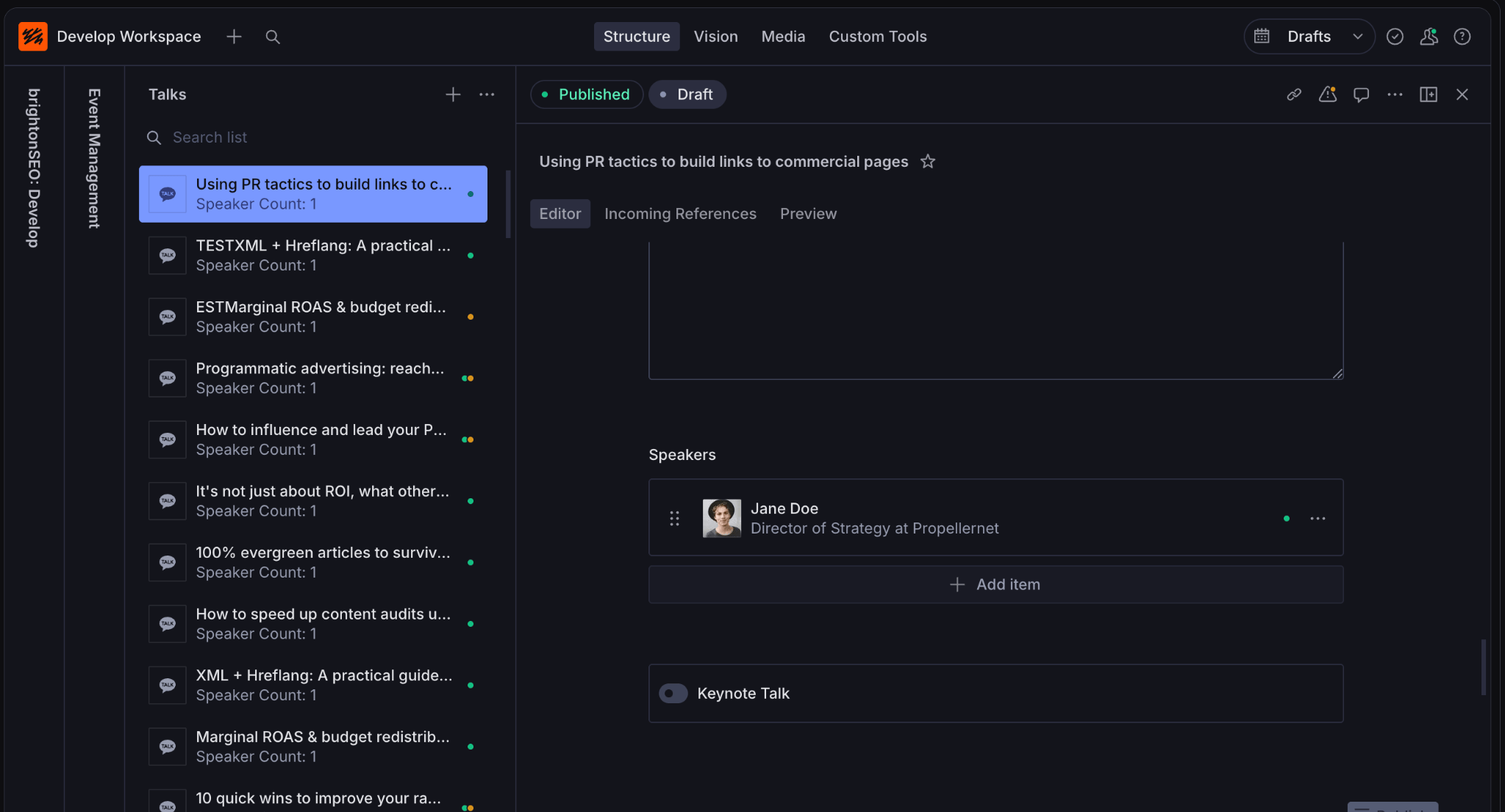
The workflow also guards against accidental duplication.
Existing people are checked using their name-based slug, while talks are checked using the talk title slug. Matching records aren’t silently recreated, and updating an existing People record requires the editor to deliberately choose to replace it.
That gives the team more control when information needs to be imported again or updated later.
Why speaker headshots go into Sanity first
Speaker imagery created a different challenge.
The original approach attempted to fetch images directly from whatever URL appeared in the spreadsheet. In practice, those images could be hosted across Google Drive, Dropbox, personal websites, company platforms or other external services, and those sources didn’t always allow reliable external access.
Fetching and re-uploading external images also added enough processing time to make larger imports less dependable.
The final workflow takes a more controlled approach.
Speaker headshots are uploaded to the Sanity Media Library first, and the spreadsheet references the Sanity-hosted image URL.
It adds a preparation step, but gives the importer a predictable source for the asset and makes the overall process more reliable.
The aim wasn’t to automate every possible step. It was to remove the repetitive work while keeping the workflow dependable.
Publishing and verification
Once the content has been reviewed, the editor selects the relevant published event from Ready to Publish and runs the bulk publishing process.
The resulting People and Talk records then appear in their respective dashboards, where the editor can confirm that the content has been created and linked correctly.
Successfully published items are removed from the Imported Data dashboard once the process is complete.
That gives the team a clear path from spreadsheet data to verified, structured content inside Sanity.
Building the CMS around the content team
The value of the workflow goes beyond being able to upload a CSV.
The brightonSEO content team can prepare multiple records together, catch incomplete information before publishing, preserve the relationships between speakers and talks, protect against duplication and associate content with the correct event - all within Sanity.
The CMS is therefore doing more than storing the final content. It supports the process the team uses to manage it.
A CMS shouldn’t force the content team to work around its limitations. The workflow inside the CMS should reflect the way the team actually needs to manage content.
This workflow is one part of our wider work with brightonSEO. Read our brightonSEO case study to learn how we used Sanity CMS and Next.js to improve the website and simplify content management.